Everything you need to scale
Powerful features for Amazon sellers
From profit tracking to inbound shipments — SellersBoost gives you the tools to run your Amazon business with confidence, not guesswork.
Always know what you have, where it is, and what it is worth.
Inventory Management
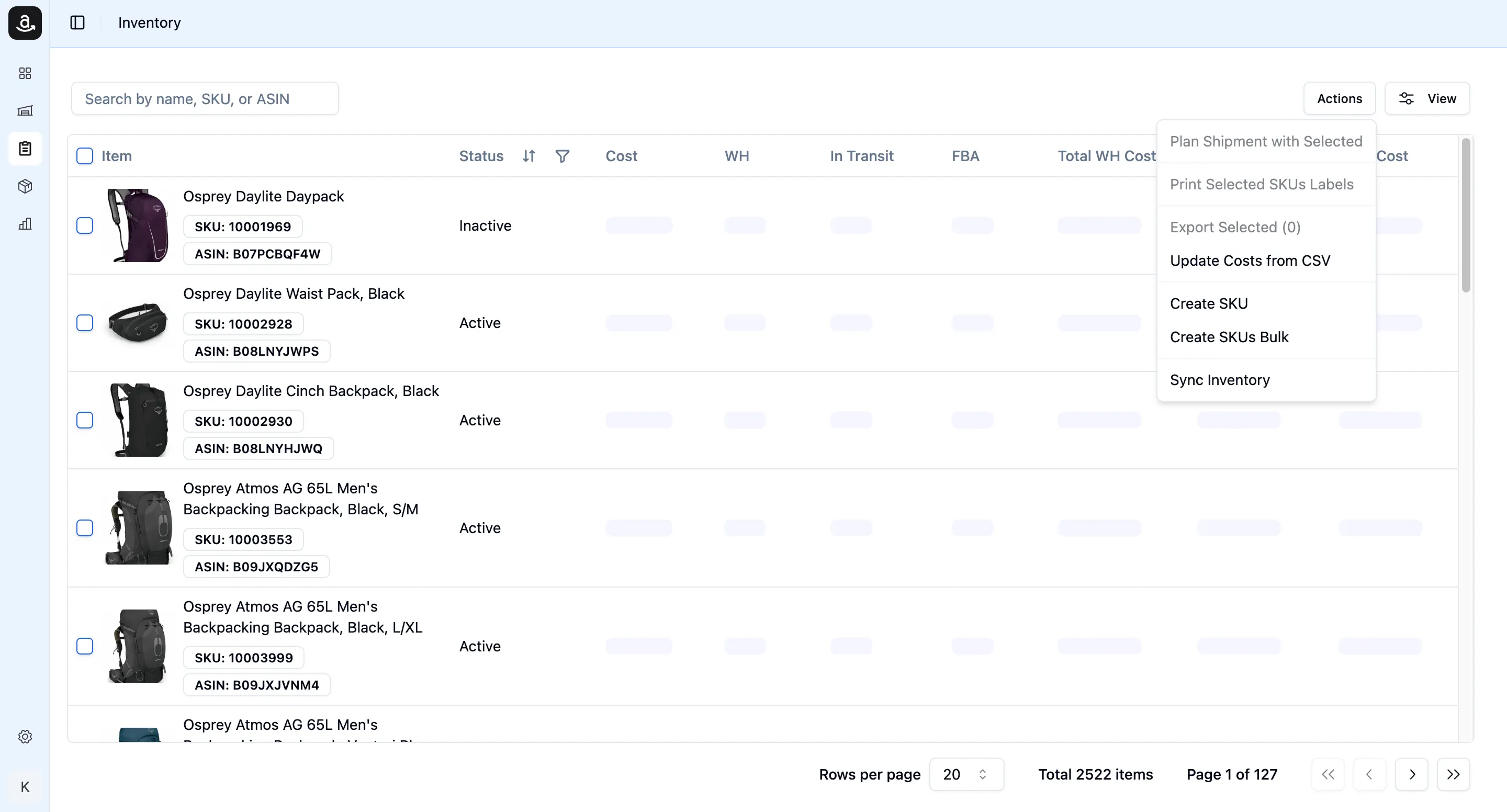
Stop relying on spreadsheets to track your stock. SellersBoost syncs your FBA inventory automatically and keeps it next to your warehouse stock, so you always have a single source of truth — no matter how many SKUs or suppliers you manage.
Enter product costs once or import them in bulk. Costs are applied first in, first out, so your inventory value and your profit reflect what each unit really cost you.
- Automatic FBA inventory sync alongside your warehouse stock — units and dollar value
- FIFO product costing with bulk cost import
- Multi-supplier and multi-warehouse support
- Inbound units tracked from your supplier through FBA check-in
- Inventory valuation by COGS — always know what your stock is worth
- Stock history and stock levels as of any past date
Every sale. Every fee. Every dollar of profit — tracked automatically.
Order Analytics
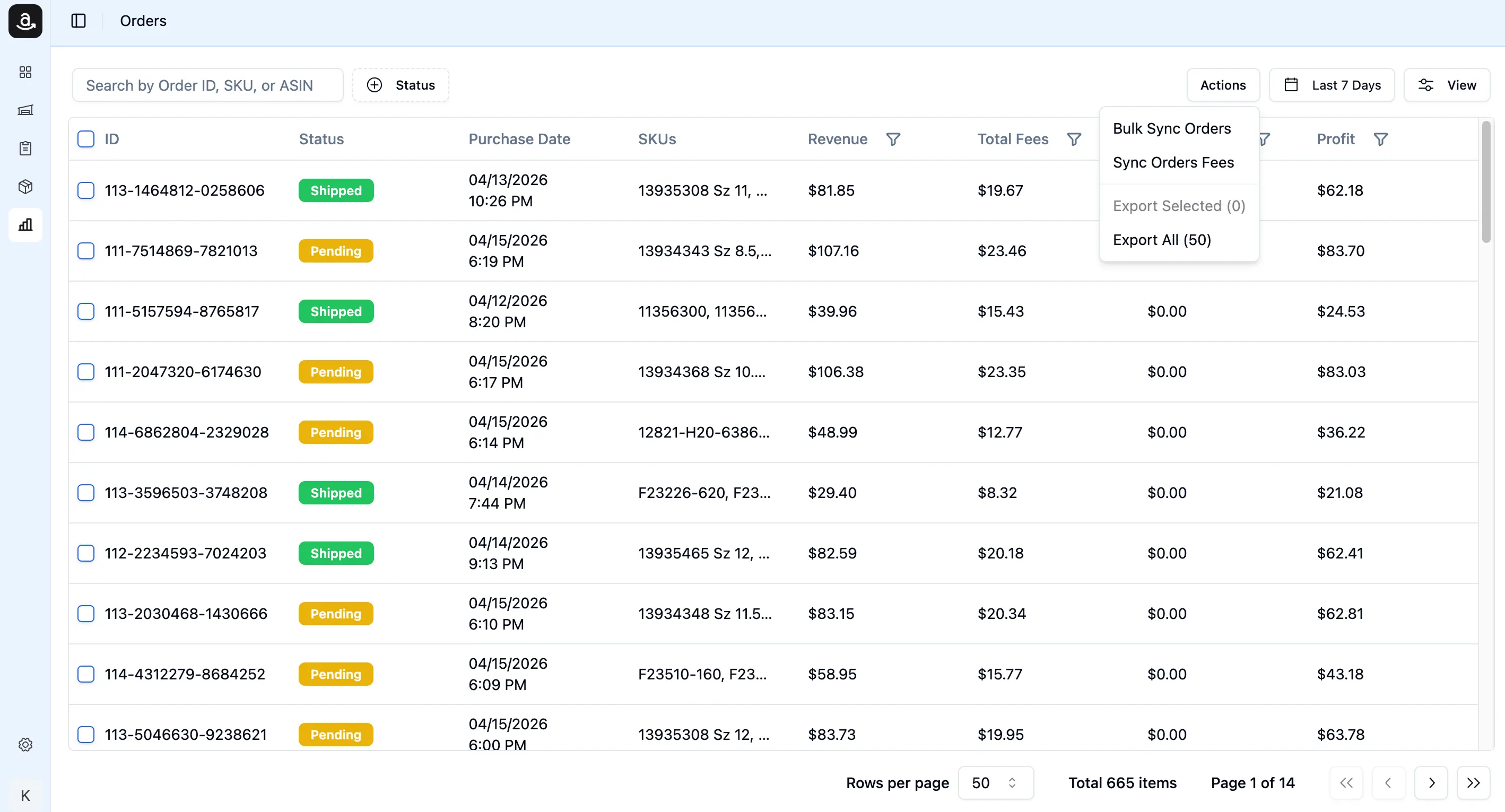
Stop guessing where your margin goes. Our Order Analytics syncs every Amazon order directly via SP-API and automatically calculates revenue, Amazon fees, cost of goods, and net profit per order — automatically.
See the full fee breakdown (Referral Fee, FBA Fees, Storage, Closing Fee) and understand exactly what Amazon takes from each sale. Filter orders by date, status, profit range, or SKU. View order-level P&L with totals across your entire catalog.
- Automatic order sync — pulls all orders from Amazon via SP-API, including status updates
- Real profit per order — Revenue − Amazon Fees − COGS = actual profit, calculated automatically
- Full fee breakdown — see Referral Fee, FBA Fees, Storage, and Closing Fee per transaction
- Estimate → actual fees — starts with fee estimates, upgrades to real fees from Settlement Reports
- P&L by status, supplier, or brand — slice your profitability any way you need
- Order totals footer — see revenue, fees, cost, and profit summed across the entire filtered view
From your warehouse to Amazon's fulfillment center — every box, every unit, tracked.
FBA Shipment Tracking
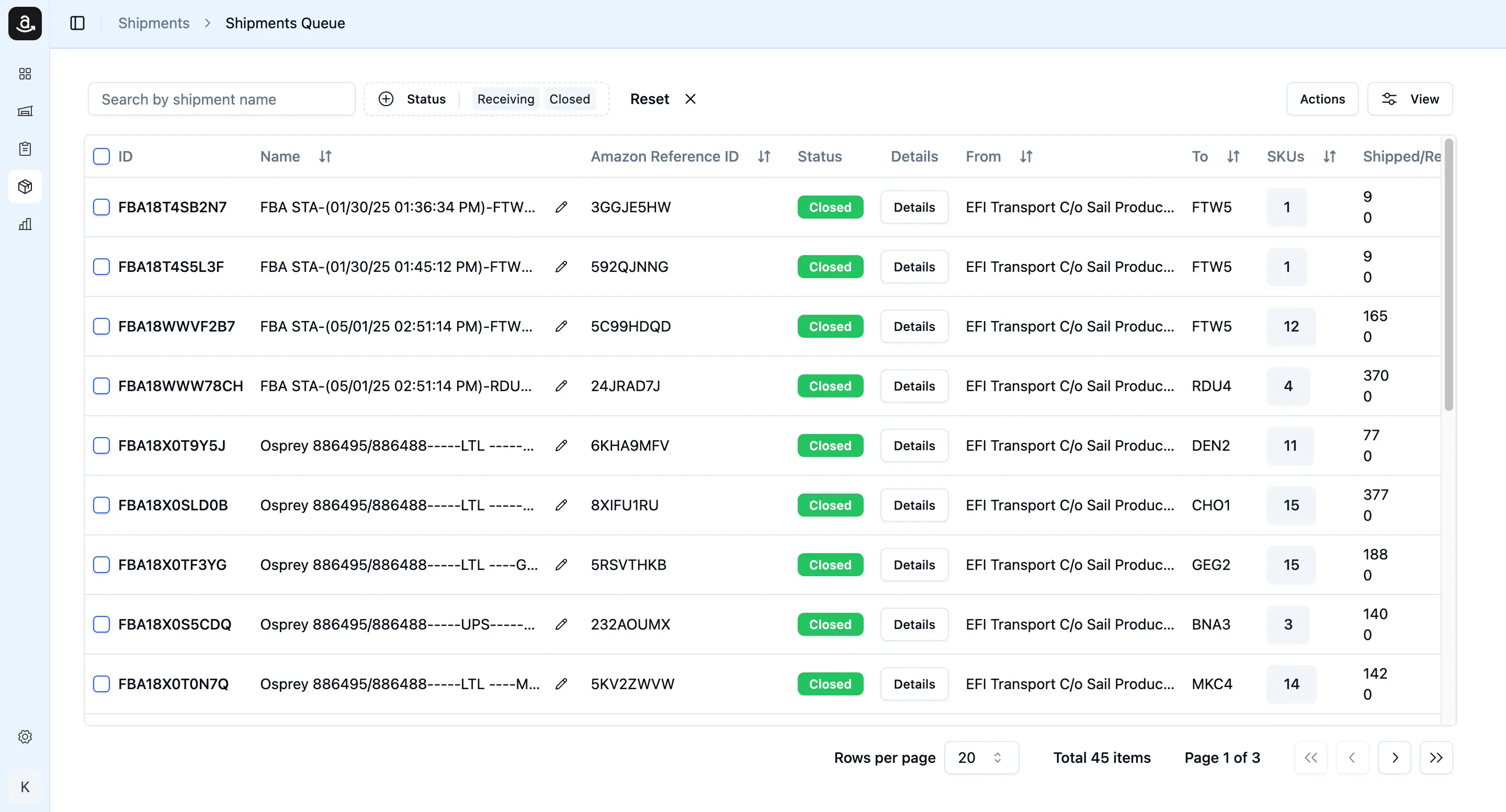
Creating FBA shipments and losing track of them is a thing of the past. Track every inbound shipment from the moment it leaves your warehouse to the moment Amazon checks it in — with live status sync directly from SP-API.
See exactly how many units were shipped and how many Amazon received, monitor workflow progress, and get a clear picture of what's in transit at any time. All inventory calculations update automatically as shipments are delivered.
- Live status tracking — shipment statuses synced directly from Amazon (Working → Shipped → Receiving → Delivered)
- Shipped vs. received ratio — instantly see if Amazon received everything you sent
- Per-SKU breakdown — view quantity shipped and received for every MSKU in a shipment
- Workflow progression — track each shipment through its full lifecycle from creation to check-in
- Automatic inventory updates — WH and FBA inventory recalculates the moment a shipment status changes
- Amazon Reference ID tracking — copy and share Amazon's tracking ID in one click
Your entire Amazon business on one screen — updated daily.
Dashboard & Analytics
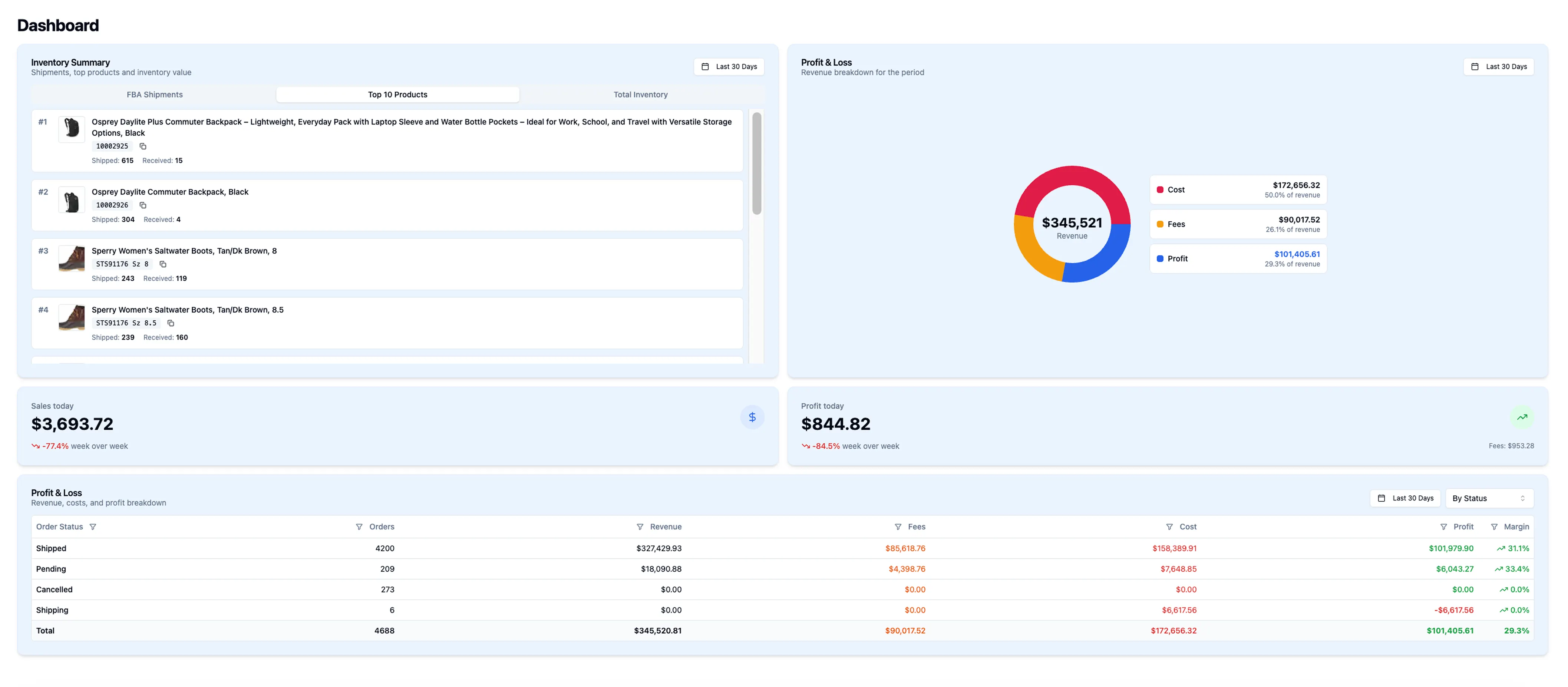
The Dashboard gives you a single command center for your Amazon operation. See today's sales and profit the moment you open the app, with week-over-week trends so you always know if you're growing. Dive into your Profit & Loss broken down by order status, supplier, or brand — and instantly see which part of your business is driving margin and which is eating it.
Every number — revenue, fees, cost, profit, inventory value, shipment progress — is in one place, calculated automatically, no spreadsheets required.
- Sales & profit today — revenue and net profit with Week over Week % change
- Profit & Loss table — grouped by order status, supplier, or brand with margin %
- Inventory value snapshot — FBA on hand, FBA inbound, WH on hand, WH inbound — units and dollar value
- FBA shipments radial chart — units shipped vs. received with receive percentage at a glance
- Top 10 products shipped — ranked by units sent to Amazon in any date range
- All date ranges customizable — analyze any period: today, last 30 days, last quarter

Ready to run your business smarter?
Join over 1,000 Amazon sellers who use SellersBoost to save time, protect margins, and grow with confidence. Start free — no credit card required.